Balkan channels at home in St. Louis: a practical guide
It's Sunday evening, the living room smells like burek, and someone hands you the remote. What you want is a news broadcast from Belgrade or Zagreb, a sports channel from the region, or the familiar rhythm of a talk show your grandmother watches on the same channel back home. Getting that signal into a house in St. Louis used to mean a satellite dish on the roof and a lengthy contract. It does not anymore.
An internet connection and the right streaming setup are enough. This guide walks through the questions most Balkan-heritage households here ask first, from which devices work to what happens when the picture stutters.
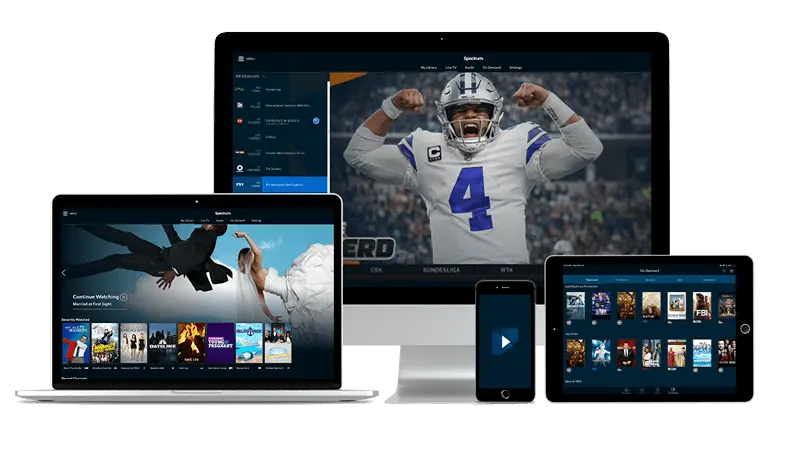
What you actually need before you start
The short list: a stable home internet connection, a compatible device, and a subscription that includes Balkan channels. No dish, no cable box, no installer visit.
On the device side, you have real flexibility. An Android TV stick plugged into the back of any flat-screen turns that television into a streaming device. Fire TV Stick works the same way. If you already own a Samsung or LG smart TV from the last several years, you may not need any extra hardware at all. Android phones and tablets, iPhones, iPads, Apple TV, MAG boxes, Windows laptops, and Macs all work too.
For player software, IPTV Smarters Pro and TiviMate are the most common choices on Android devices. MAG boxes use their own built-in portal. The player you pick does not change what channels you get; it only changes how the guide looks on screen.
One thing worth checking before you pay for anything: run a speed test on your home connection. Streaming a single HD channel is not demanding, but if several people in the house are streaming different things at once, a slow or congested connection will show it.
Which channels are available from the Balkans
This depends on the plan you choose, so look at the channel list on the landing page before you subscribe. A solid Balkan package typically covers public broadcasters from Serbia, Croatia, Bosnia and Herzegovina, Slovenia, and North Macedonia, along with regional news channels, sports channels, and entertainment channels that carry the telenovelas and reality formats popular across the region.
Sports coverage is worth a separate thought. Regional basketball — particularly the Adriatic leagues that produce a steady stream of players who end up in the NBA — tends to appear on the sports channels included in Balkan packages. NFL and other American sports often sit in a separate section of the guide.
If you are curious how channel guides are organized by region and language, the article on finding channels by region in the guide explains how most IPTV guides sort their listings, which makes hunting for a specific Balkan channel much faster.

Quick answers
- Can I watch Balkan channels in a language other than Serbian or Croatian
Yes. Depending on the plan, you will find channels broadcasting in Bosnian, Slovenian, Macedonian, and Albanian. Check the channel list on the landing page to confirm which languages are covered before subscribing.
- Do I need a separate subscription for each TV in the house
Not necessarily. Most plans allow more than one stream at the same time. How many devices you can use simultaneously depends on the plan you choose, so review the plan details on the landing page.
- What if my login email does not arrive after payment
Check your spam or junk folder first — automated emails from new services land there often. If nothing appears after fifteen or twenty minutes, contact support through the site with your payment confirmation.
- Will this work on an older smart TV as well as the main set
It depends on the TV's operating system and age. Newer Samsung and LG sets work directly. For older televisions, a Fire TV Stick or an Android TV device plugged into the HDMI port is the simplest solution.
Getting the subscription set up
Payment is a one-time step per plan. After you pay, login details arrive by email, usually within minutes. That email contains everything you need: the server address, a username, and a password. You enter those into whichever player you chose, and the channel list loads.
On a Fire TV Stick, you will need to allow installation from unknown sources in the device settings before sideloading a player that is not in the Amazon store — IPTV Smarters Pro is the common path there. On an Android TV box or Google TV device, the Play Store has compatible apps directly. Samsung and LG smart TVs have their own app stores; check the landing page for the current installation method for your model, since the steps differ slightly between manufacturers.
If someone in the household has already set this up on a laptop and wants to move to the television, you do not need a second subscription — just install the player on the new device and log in with the same credentials. Check your plan details for how many simultaneous streams it covers.
When the picture freezes or drops quality
Buffering on a channel from home is almost never a problem with the channel itself. It is almost always the connection between your router and the device.
The first thing to try: move the streaming device closer to the router, or run an ethernet cable from the router to your TV or MAG box. Ethernet eliminates the Wi-Fi variable entirely. If that is not practical, a mesh Wi-Fi node in the room where you watch makes a noticeable difference in a house where the router sits at one end and the television at the other.
Routers also benefit from a simple restart every few weeks. If you have never done this, the guide on what American viewers should know about router restarts covers the why and the how clearly. It is a two-minute fix that solves a surprising share of streaming problems.
If the picture freezes on one channel but runs fine on others, that specific channel may be temporarily overloaded. Closing and reopening the player usually clears it.
St. Louis specifics worth keeping in mind
Internet service quality varies by neighborhood in St. Louis, as it does in most American cities. Households in older buildings with aging internal wiring sometimes get speeds at the router that do not reach the living room intact. If your speed test at the router looks fine but the television three rooms away buffers, the problem is in-home, not at the ISP level.
For Balkan-heritage families spread across the metro — south St. Louis city, Mehlville, Affton, or further out in St. Charles County — the setup is identical regardless of address. The service delivers over any broadband connection, so your zip code does not affect which channels you can access.
Families who have moved to other cities and set up similar arrangements might find the walkthrough for streaming TV in Atlanta useful as a comparison — the device steps are the same, and reading a parallel setup guide sometimes clarifies a step that felt unclear the first time.
Guru IPTV covers the full range of devices and plans from the home page if you want to start there.